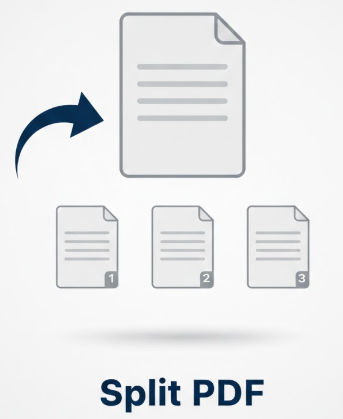
Split PDF
PDF Split Tool
Split PDF into individual pages or custom ranges – any size supported
Split PDF Online – Easy and Complete Guide
Introduction
PDF files are widely used for sharing documents because they keep the layout intact. People use PDF files for books, reports, invoices, notes, and forms. Sometimes a PDF file is too large or contains many pages that are not needed together. This is where the Split PDF feature becomes useful. Splitting a PDF means breaking one PDF file into smaller parts. This guide explains how to split PDF files easily and safely using simple steps.
What Does Split PDF Mean
Split PDF means dividing one PDF file into two or more smaller PDF files. You can split pages one by one, split by page range, or extract specific pages only. The original file stays safe, and you get new PDF files based on your selection. This helps you manage documents better and share only the required pages.
Why People Need to Split PDF Files
There are many reasons people use split PDF tools. Sometimes a PDF file is too large to send by email. Sometimes you only need one chapter from a book. Students split PDF notes to study specific topics. Office workers split reports before sharing with different teams. Website owners split PDFs before uploading them online. Using a split PDF online tool saves time and makes work easy.
How to Split a PDF Online
Splitting a PDF online is very simple. First, upload your PDF file to a split PDF tool. Next, choose how you want to split the file. You can split by page number or select specific pages. After confirming your choice, the tool creates new PDF files. You can then download and use them. Most tools also show a preview to help you avoid mistakes.
Best Online Tools to Split PDF
Online tools are the easiest way to split PDF files. They work in your browser and do not need any installation. These tools are fast and user-friendly. One useful platform for PDF tasks is atruepdf.com, which offers simple options to split PDF files and manage documents online. These tools are helpful for students, office workers, and beginners.
👉 Try a split PDF tool here: https://atruepdf.com
Offline Software for Splitting PDF Files
Offline PDF software is useful when you work with large or private documents. These tools do not need internet access. Many offices prefer offline tools for security reasons. Offline software also gives more control over page selection and file quality. Professionals often use offline tools for daily document work.
Benefits of Splitting PDF Files
Splitting PDF files offers many benefits. It reduces file size and makes sharing easier. It helps organize documents better. You can send only the required pages instead of the full file. Split PDF files are faster to upload and download. This is why split PDF free tools are popular among users.
Split PDF for Students
Students often download large PDF books and notes. These files contain many chapters that are not needed at once. By splitting PDFs, students can create small study files for each topic. This helps with revision and saves storage on mobile phones and laptops.
Split PDF for Office and Business Use
In offices, PDF files are shared daily. Reports, contracts, and invoices often need to be divided into parts. Splitting PDFs helps share the correct pages with the right people. It also helps remove unnecessary pages before sending files to clients. This improves work efficiency and professionalism.
Common Problems and How to Avoid Them
One common problem is selecting the wrong pages while splitting. Always check page numbers carefully. Use tools that show page previews. Another issue is file naming confusion. Rename split files properly to avoid mistakes. Always keep a copy of the original PDF file as backup.
Is It Safe to Split a PDF Online
Yes, splitting PDF files online is safe if you use trusted tools. Reliable platforms like atruepdf.com focus on user safety and simple file handling. Avoid uploading sensitive documents to unknown websites. If privacy is important, offline software is a better option.
Tips for Better Split PDF Results
Choose clear PDF files for better results. Check page order after splitting. Save files with meaningful names. Always open the split PDF files to confirm they are correct. These small steps help you avoid errors.
SEO Keywords Used Naturally
- Split PDF
- Split PDF online
- Split PDF free
- PDF split tool
- separate PDF pages
Frequently Asked Questions(FAQs)
What does split PDF mean?
It means dividing one PDF file into smaller PDF files.
Can I split a PDF online for free?
Yes, many tools offer free basic options.
Will my PDF quality change after splitting?
No, good tools keep the same quality.
Can I split PDF files on mobile?
Yes, most online tools are compatible with mobile devices.
Conclusion
Split PDF is a powerful and useful feature for managing documents. It helps reduce file size, improve organization, and make sharing easy. Students, office workers, and website owners all benefit from splitting PDF files. With the right tool, splitting PDFs is fast, safe, and simple.